

These $500 Windows Laptops Show the MacBook Neo’s Competition
- The Death of the “Cheap” Laptop
Last August, my younger sister called me in a full-blown panic. She was staring at a screen filled with forty identical Amazon listings, all promising “the best student value,” and not one explaining why a $450 machine wouldn’t be a paperweight by sophomore year. I’ve seen this movie before, but in 2026, the script has been flipped.
We are witnessing the end of the “cheap” laptop as a category of compromise. The sub-$500 bracket is no longer a graveyard for sluggish processors and washed-out TN panels. Instead, it’s become a battlefield where “asset-light” disruptors like Thomson Computing which now commands a staggering 36% of the sub-€300 market in France are forcing the giants to stop selling junk. Today, you can find military-grade durability and NVMe storage for pocket change, provided you can spot the marketing shell games designed to trick the unwary.
- The iPhone Chip Inside Your Computer: Apple’s Bold $500 Gamble
The most disruptive entry this year is the MacBook Neo. Apple is playing a fascinating hand here, powering a 599 laptop (499 for education) with the A18 Pro silicon straight out of the iPhone 16 Pro. On paper, it’s a masterstroke: 16 hours of battery life and a silent, fanless design in a 1.23kg aluminum chassis. But as a hardware analyst, I have to point out where Apple performed surgical cost-cutting.
Don’t let the “Liquid Retina” branding fool you; this is a stripped-down experience. Apple saved pennies by omitting the ambient light sensor, meaning you’ll be manually adjusting your brightness like it’s 2012. More insulting is the port situation: while one USB-C port is a standard 10Gb/s, the other is a USB 2.0 relic limited to 480Mb/s. It’s a 20-year-old standard on a 2026 machine.
Furthermore, the Neo faces a massive 60GB/s memory bandwidth bottleneck less than half of what you get in a standard MacBook Air. Even the silicon is “binned”; while the iPhone 16 Pro gets a 6-core GPU, the Neo is hobbled with 5 cores.
“Apple built the MacBook Neo to steal Chromebook buyers… It’s Apple’s colorful answer to the Chromebook.”
The Hidden Cost: Note that Touch ID is missing on the base 256GB model. If you want biometric security, Apple forces you into the $699 storage upgrade.
- The Architecture Trap: The “Ryzen 7000” Naming Smokescreen
The biggest “gotcha” in the current market is what I call silicon recycling. Manufacturers love to use the “7000-series” branding to make a laptop feel modern, but it’s often a smokescreen to move old inventory.
Take the common Ryzen 5 7520U found in many budget rigs. This is a “Mendocino” chip built on the ancient Zen 2 architecture. Compare that to the HP 15 (15-fc0502nr), which uses a “Ryzen 5000” series chip the Ryzen 7 5825U. Despite the lower series number, the HP’s chip uses the superior Zen 3 architecture and packs eight cores instead of four. In real-world multitasking and coding, the “older” 5000-series chip will absolutely smoke the “newer” 7000-series competition.
Buyer’s Rule: Always check the core architecture (Zen 2 vs. Zen 3), not just the model number. If it says “Mendocino,” you’re buying a marketing trick.
- The 120Hz and Touchscreen Surprise: Premium Features for Pocket Change
Features that used to be locked behind a $1,000 paywall have finally filtered down, most notably in the Dell Inspiron 15 3530. This is our “Power User” pick because it manages to squeeze a 120Hz touchscreen into a budget chassis.
Why does 120Hz matter for someone who doesn’t play games? In 2026, web interfaces and “Apple Intelligence” style animations are designed for high-refresh fluidity. On a standard 60Hz panel, these modern UI elements look jittery and dated. On the Dell, scrolling through a 100-page PDF or annotating a research paper with the touchscreen feels flagship-grade. It’s the kind of quality-of-life improvement you won’t want to give up once you’ve experienced it.
- Storage Sabotage: The Hidden Cost of 128GB and eMMC
Manufacturers are actively sabotaging your long-term productivity with “trash-tier” storage. The Acer Aspire 3, for example, often ships with a measly 128GB. In an era of massive Windows updates and AI-local caching, that is a recipe for disaster.
“A 128GB SSD… fills up faster than expected once Windows updates, apps, and a semester’s worth of files accumulate.”
But capacity isn’t the only trap; it’s the interface. Many extreme budget models use eMMC which is essentially a glorified SD card soldered to the motherboard. It’s painfully slow. You want NVMe storage, like that found in the ASUS Vivobook Go 15. An NVMe drive will boot Windows in seconds, whereas an eMMC drive will make your laptop feel like a brick every time a background update triggers.
Buyer’s Rule: eMMC is a dealbreaker for Windows. If the spec sheet doesn’t say “NVMe” or “SSD,” put it back on the shelf.
- Longevity vs. Low-Price: The Aluminum vs. Plastic Argument
The true price of a laptop is its cost divided by its lifespan. Most budget Windows laptops, like the Acer Aspire Go 15, use all-plastic builds prone to chassis flex and hinge failure.
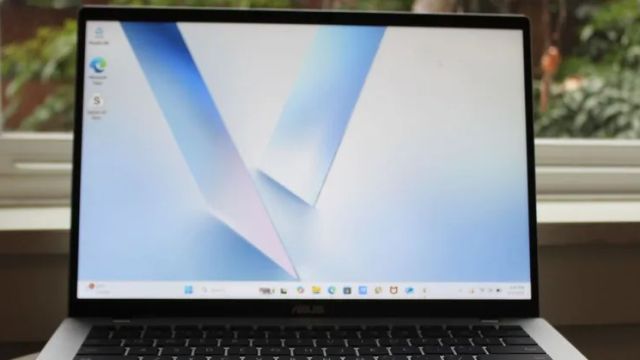
- Build Integrity: Contrast that with the ASUS Vivobook Go 15, which carries a MIL-STD-810H rating, or the MacBook Neo’s aluminum unibody. These machines can actually survive a four-year degree.
- The Resale Discount: This is the analyst’s secret. A four-year-old plastic Windows laptop is worth zero. A four-year-old MacBook typically retains 30-40% of its original value. When you factor in that resale, the “expensive” Mac often ends up being the cheaper long-term ownership proposition.
- Global Disruption: Keep an eye on the “fabless” model used by brands like Thomson. By designing in-house and partnering with Tier-I manufacturers, they are delivering laptops for under €200 that actually rival the major brands’ €350 offerings.
- Conclusion: Choosing Your Battlefield
The 2026 market is no longer about finding a machine that “just works” it’s about choosing which premium feature you refuse to live without. Do you want the raw multi-core muscle of the HP 15 for heavy workloads? The “tank-like” durability of the ASUS Vivobook? Or the ecosystem and resale value of the MacBook Neo?
As you weigh your options, ignore the spec-sheet fluff and ask yourself: In 2030, will you be using this laptop as a reliable tool, or will it be a plastic paperweight because you fell for a 128GB storage trap?





Leave a Reply